
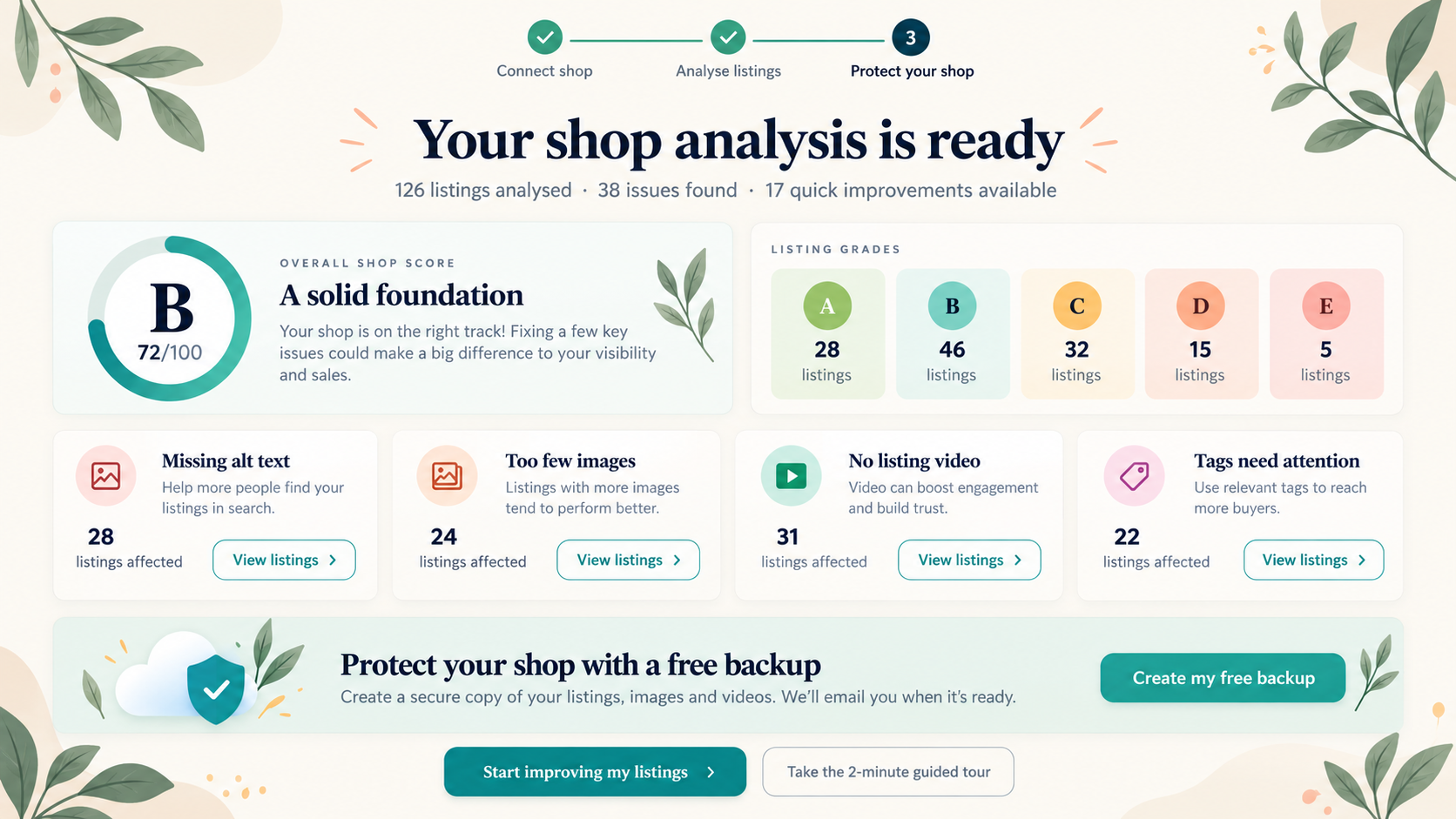
FREE SHOP ANALYSIS
Every listing checked. Clear next steps.
See which listings need attention and where to start improving your shop.
COMPLETE SHOP BACKUP
A snapshot of your listings and images — before you make changes.
Save your listing details and images so you have a record before editing. Compare saved versions and recover supported listing details when you need them.
- Your first full shop backup is free
- Images included with your listing details
- Compare changes and recover supported fields
What you can do with Cayana today
Everything in this section is available now in Essentials.
Listing management in one place
Review and manage your Etsy listings from a single workspace instead of jumping between repetitive screens.
Individual and bulk edits
Make one-off fixes or apply batch changes across selected listings when you need to move quickly.
Get control of your images
Bulk upload replace delete reorder edit images and alt text without scattered manual steps.
Video Creation From Images
Etsy allows 2 videos per listing. Cayana can create videos using your existing images. Choose images, transitions, duration....
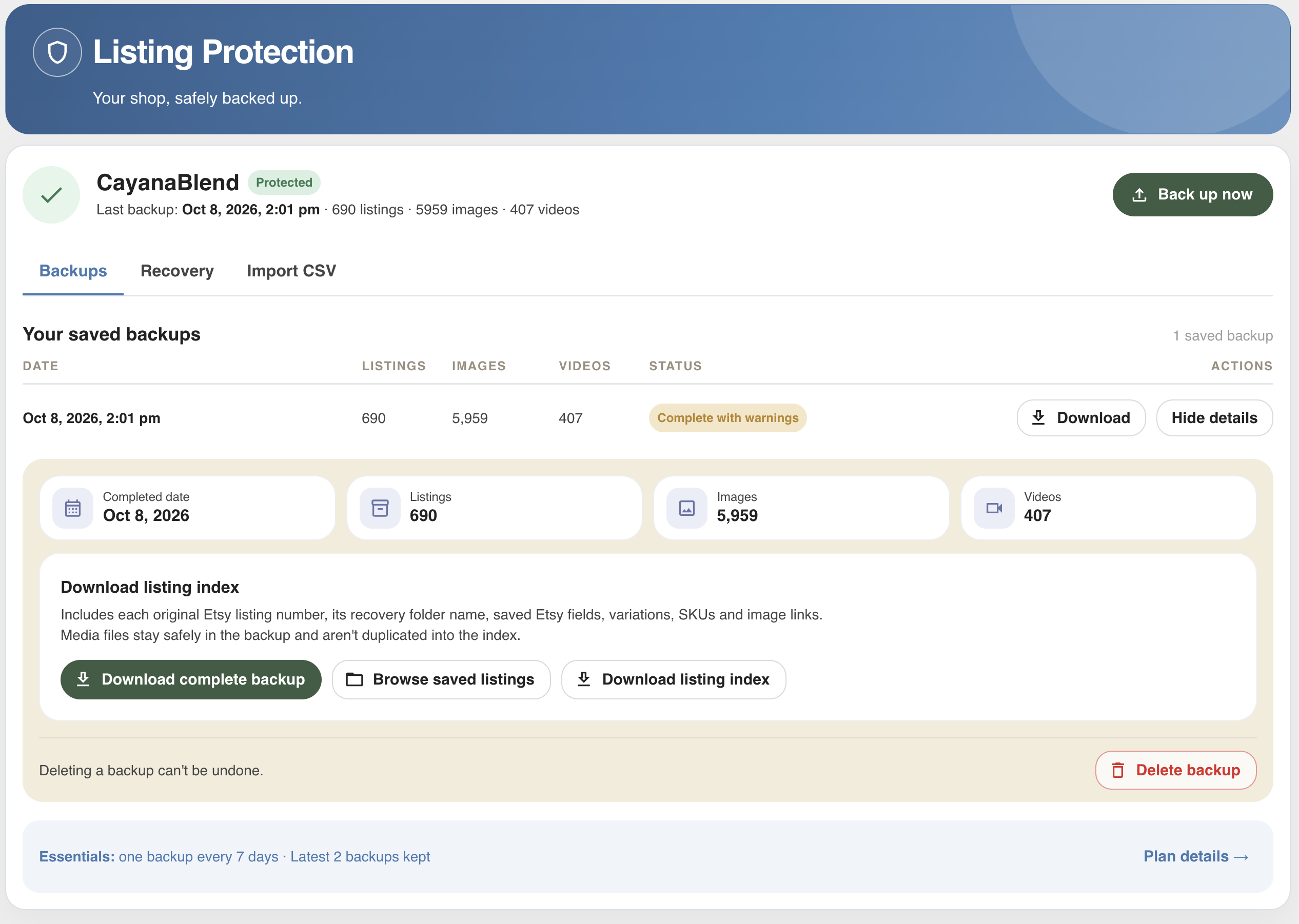
Listing Protection
See what’s changed since your last backup. Compare saved and current listings, then restore supported details and images from the backup when you need to undo changes.
Work across several shops
Move between connected Etsy shops in one Cayana account while keeping each shop separate and organized.
PRICING
Free to get started. Simple pricing to keep going.
Your shop analysis and first full backup are free. Try Essentials free for 30 days, then choose whether to subscribe for ongoing editing.
- No credit card required to start
- Designed for up to 2,500 active listings per shop
- Each connected shop has its own trial and subscription
Before you connect your shop
Your shop analysis and first full shop backup, including images, are free when you connect your Etsy shop. You also get a 30-day Essentials trial per shop, with no credit card required.
Connecting lets Cayana import your shop for analysis and backup. Edits are sent to Etsy when you choose to save them.
Subscribe to Essentials to continue editing after your 30-day trial. Your imported data is retained if you do not subscribe. You can delete it at any time.
Cayana lets you compare saved versions and recover supported listing details. Your first full backup includes images; recovery does not recreate every aspect of an Etsy shop automatically.
See what needs attention. Keep a backup. Improve your shop.
Start with your free analysis and first full backup. Then explore Essentials free for 30 days.